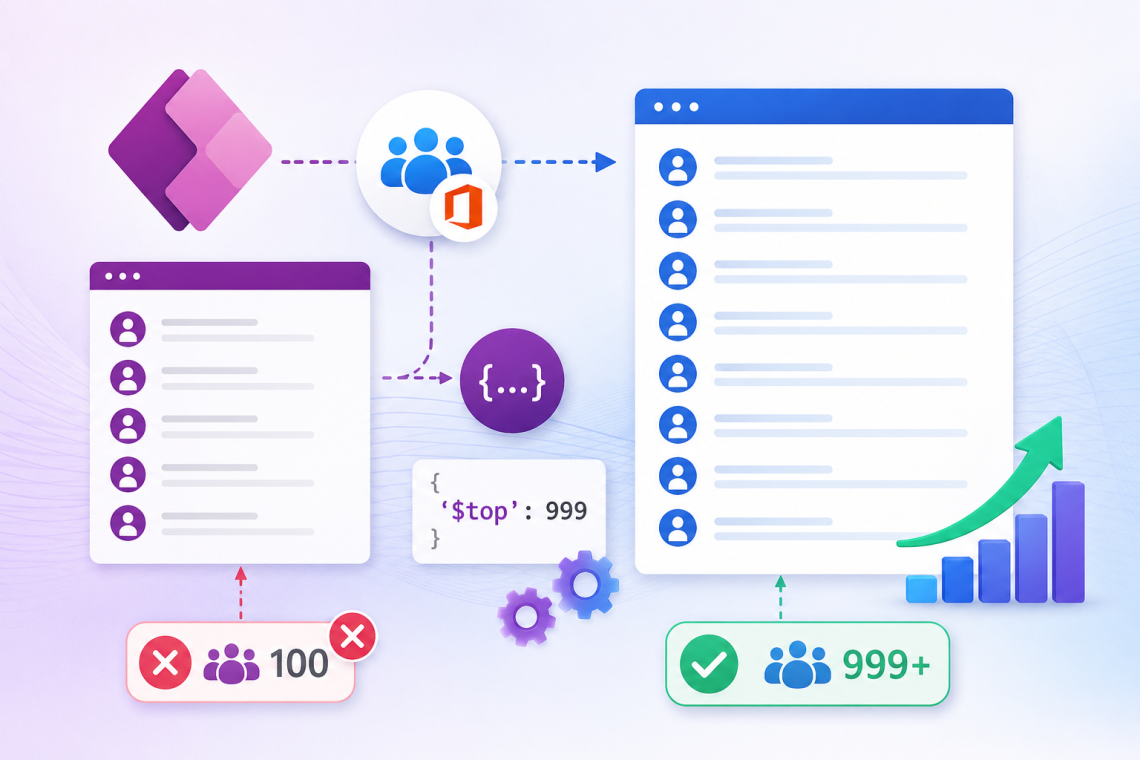
If you’ve worked with the Office 365 Groups connector in Power Apps, you may have noticed that the ListGroupMembers action only returns the first 100 members by default.
This becomes a problem when your Microsoft 365 group contains hundreds or even thousands of users. Fortunately, the connector supports pagination using the $top parameter.
In this article, I’ll show you how to retrieve more than 100 group members in Power Apps.
The Problem
A common formula used in Power Apps is:
ClearCollect(

Users,

Office365Groups.ListGroupMembers("GroupID").value)
This works perfectly for small groups.
However, if your Microsoft 365 Group contains:
- 250 users
- 500 users
- 1000 users
Only the first 100 members will be returned.
Why Does This Happen?
The Office365Groups.ListGroupMembers() function has a default page size of 100 records.
Without specifying pagination parameters, the connector only retrieves the first page of results.
The Solution
You can increase the number of returned records by passing the $top parameter.
ClearCollect(
 Users,
 Office365Groups.ListGroupMembers(
 "GroupID",
 {
 '$top': 999
 }
 ).value)
This tells the connector to request up to 999 members instead of the default 100.
Complete Example
ClearCollect(

colGroupMembers,

Office365Groups.ListGroupMembers(

"GroupID",

{

'$top': 999

}

).value )
Now your collection contains up to 999 group members.
Verify the Result
You can check how many users were loaded by using:
CountRows(colGroupMembers)
If your group has 425 users, the result should now be 425 instead of 100.
Performance Considerations
While requesting more records is convenient, keep these points in mind:
- Loading hundreds of users can take longer.
- Only retrieve members when necessary.
- Store the results in a collection instead of repeatedly calling the connector.
- Consider filtering or searching locally after loading the collection.